Features
What Dinesto does before, during and after service.
Everything on this page is included in the free account. AI options are flagged, with their price in credits.
Before service
Confirmed bookings, and guests who turn up.
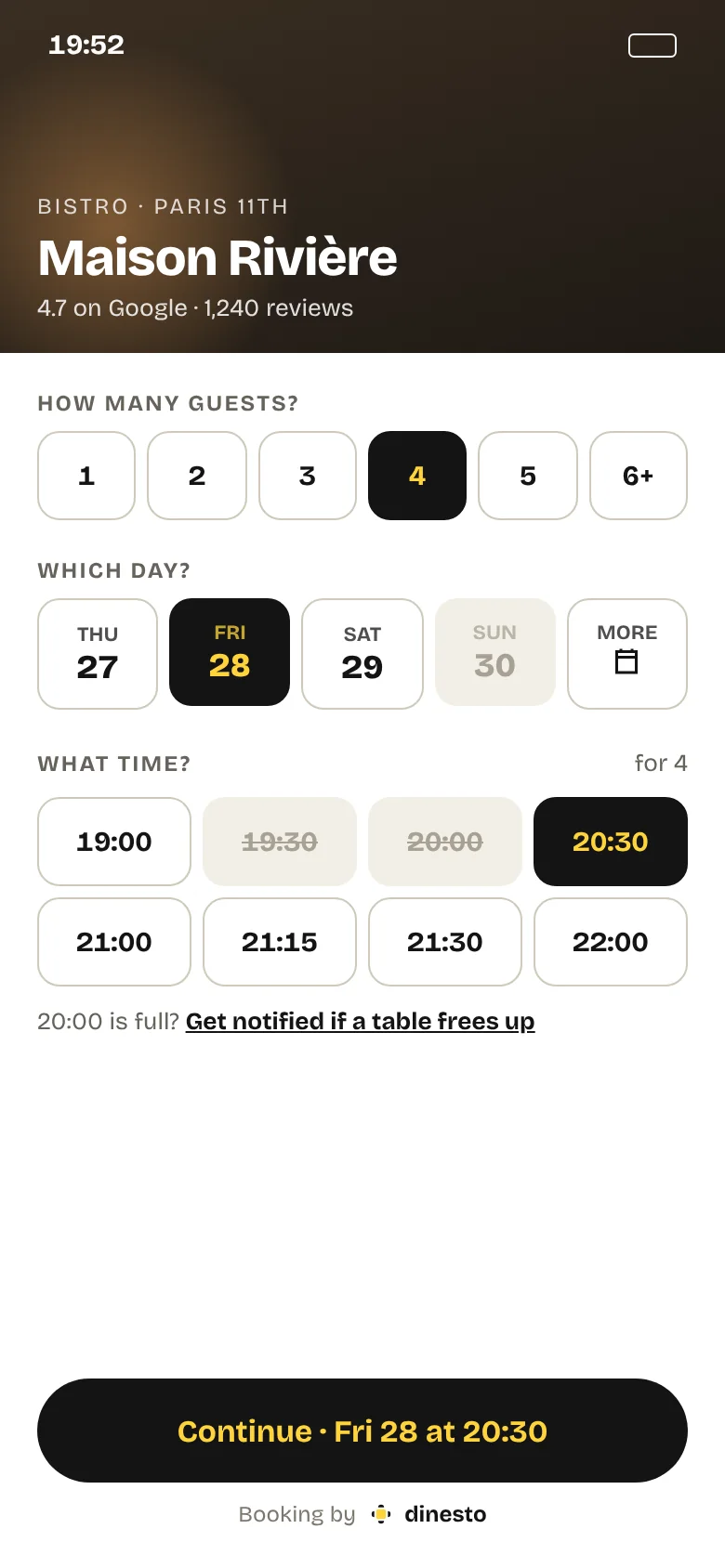
Online booking, commission-free.
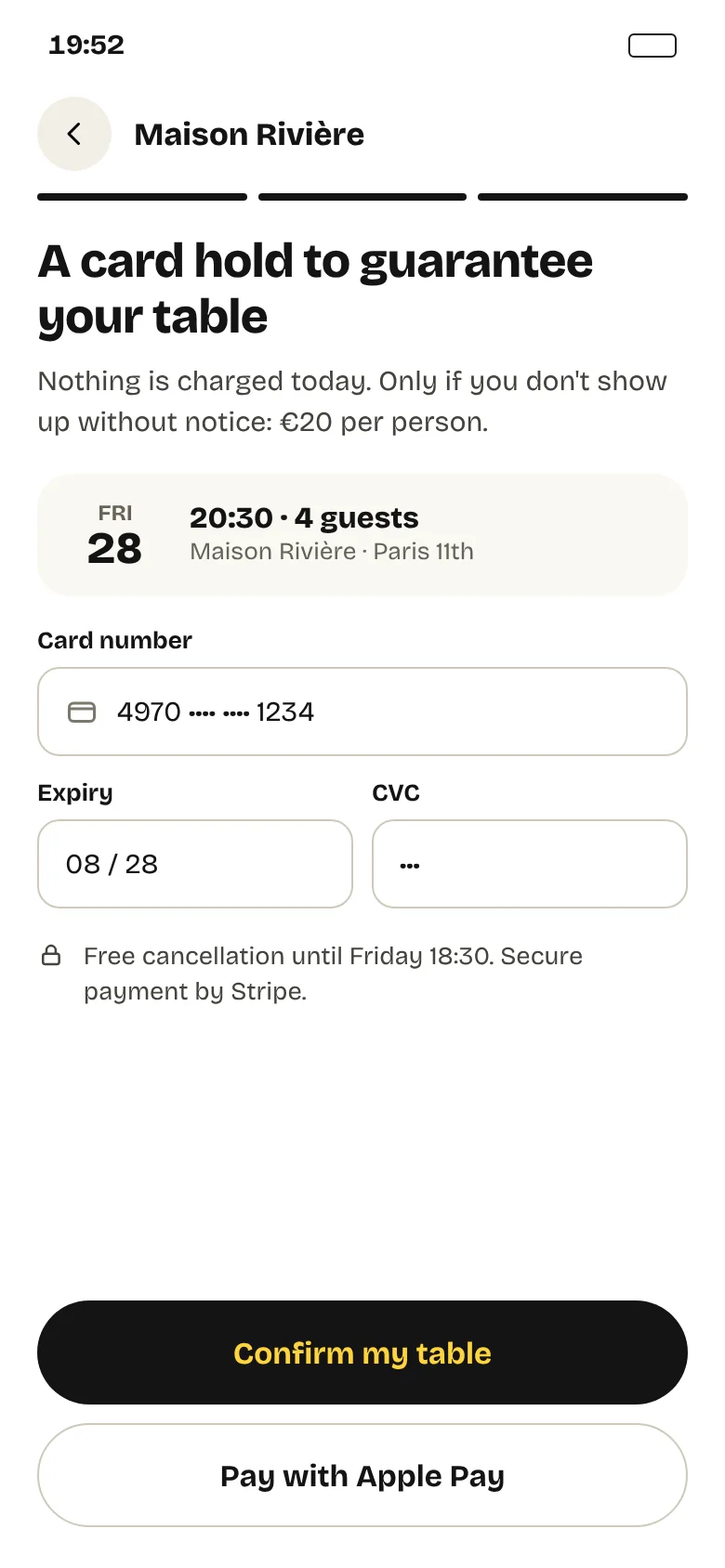
Your guest picks the party size, the day and the time from the slots you open. If you ask for a guarantee, they leave their card details on the same page.
- On your website, Google Maps and Instagram, with one shared calendar.
- Rules by service: table time, maximum party size, booking lead time.
- Card guarantee for the amount you set, charged only for a no-show.
A waitlist that fills cancellations.
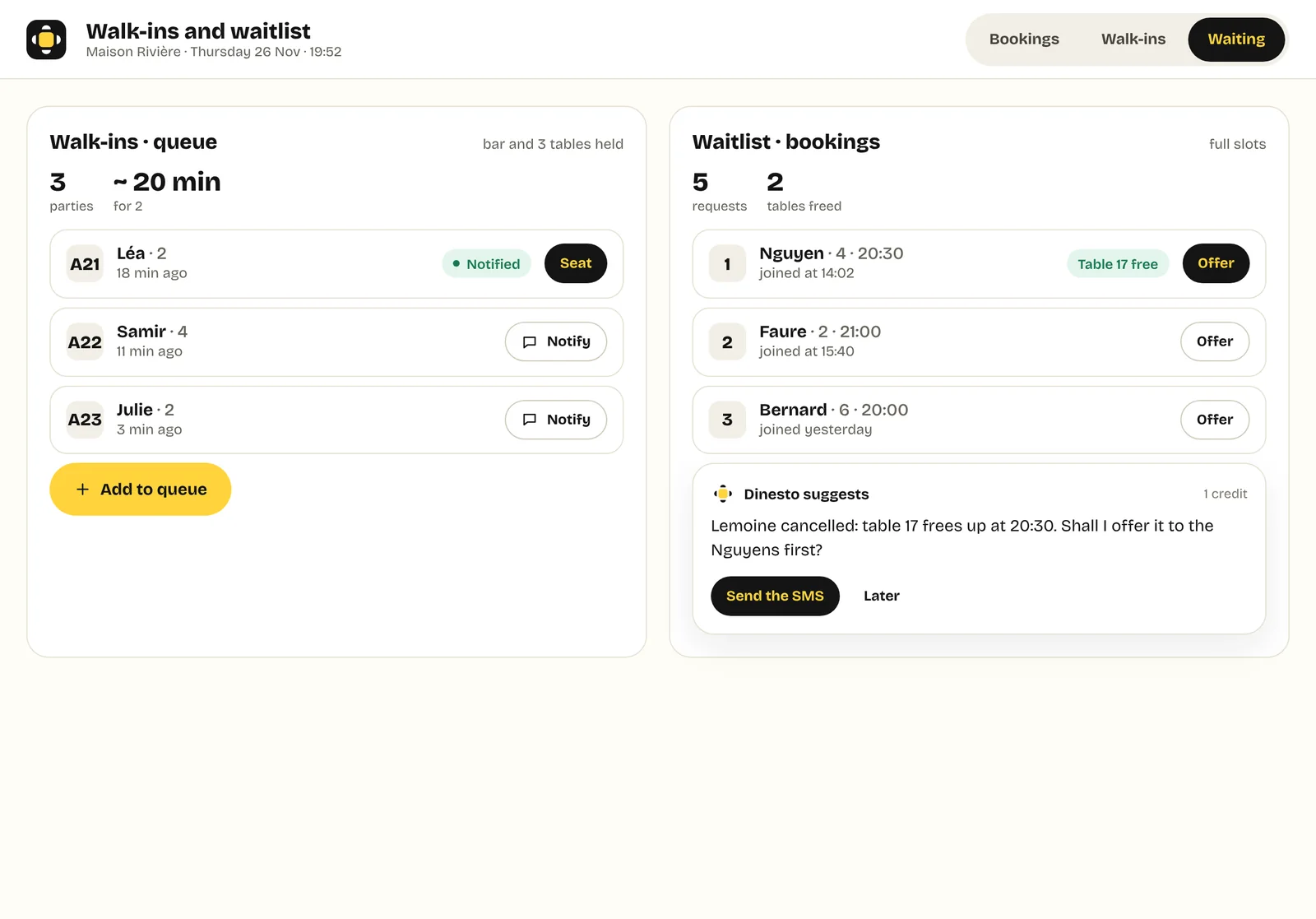
When a table frees up, Dinesto offers the slot to the first guest on the list. Walk-ins wait at the bar with an estimated wait time, and the host seats them as soon as a table is free.
- Two lists: requests for fully booked slots, and the walk-in queue.
- Reminder the day before by email, confirmed or cancelled in one click.
During service
Host stand, floor and office see the same thing.
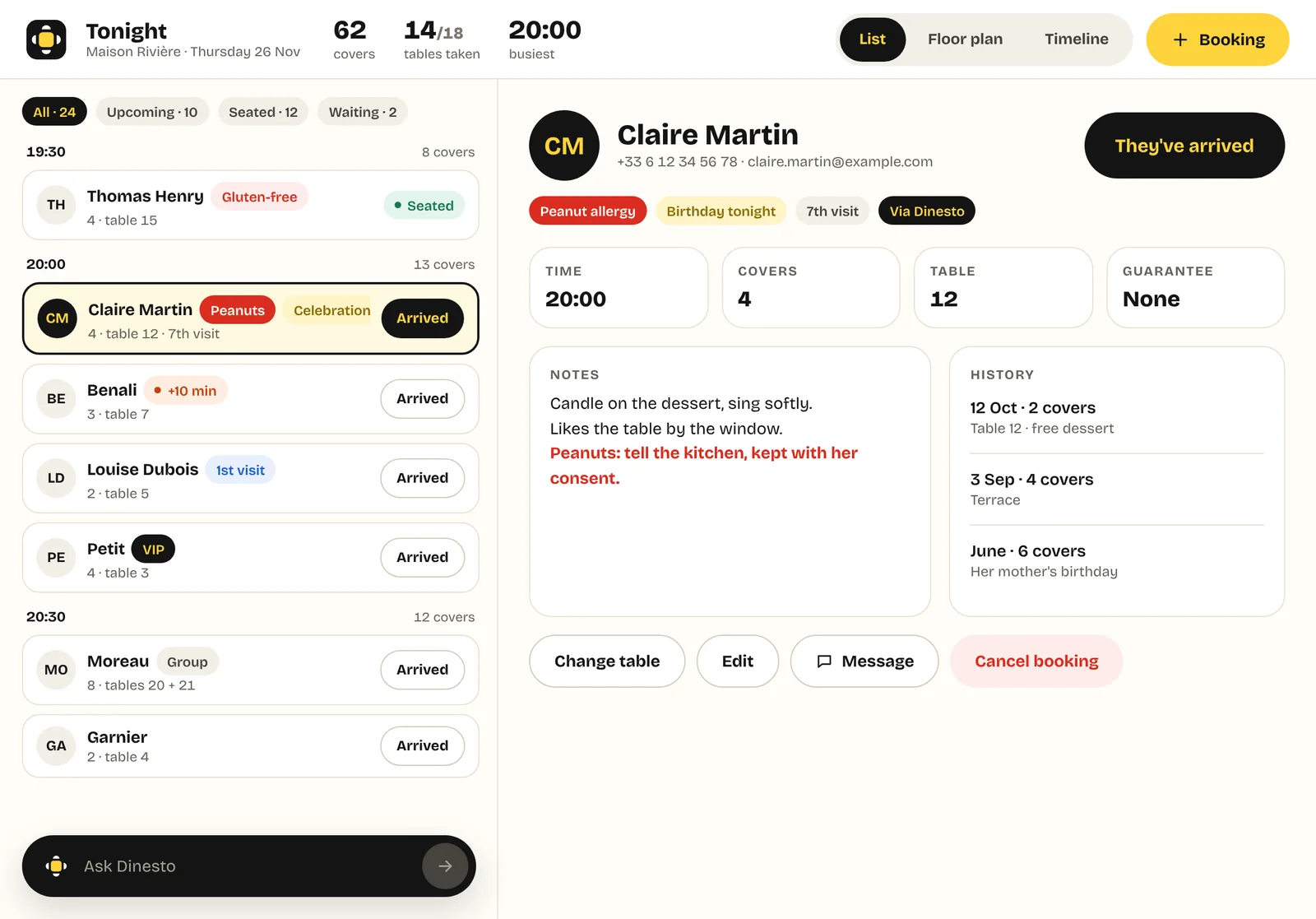
The guest's profile, the moment they arrive.
One tap on a booking shows the host the allergy, the occasion, the usual table and past visits. A button marks the arrival and frees the table at the planned time.
- Team notes kept from one visit to the next.
- Move a table by drag and drop on the floor plan.
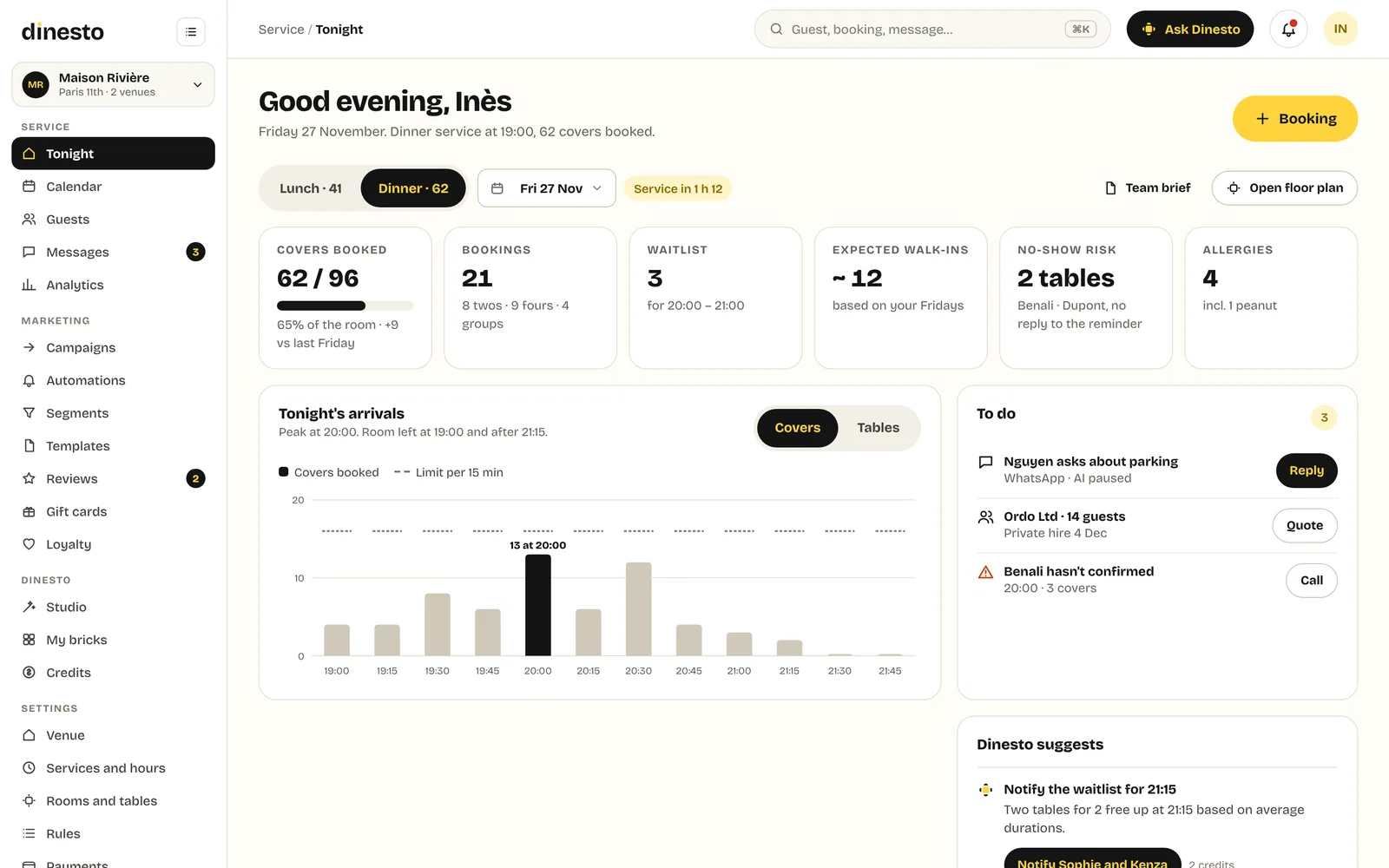
Tonight's service, in figures before you open.
Covers booked, arrivals per quarter hour, expected walk-ins, no-show risk and allergies: the manager prepares service from the office.
- Arrival peak on screen, to plan your floor team.
- Guests to chase when they haven't confirmed.
After service
Guests who come back, and figures to decide with.
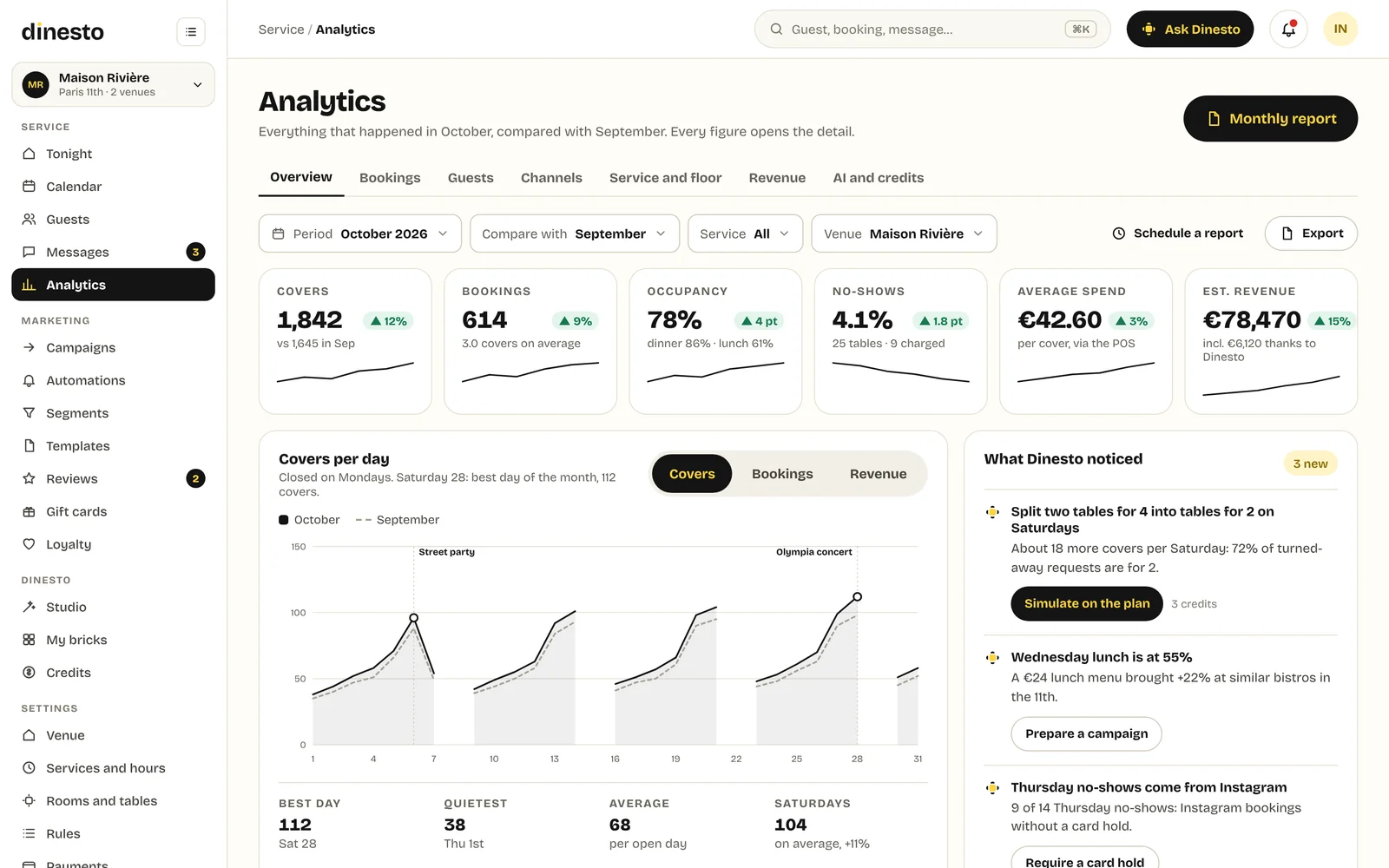
Reports for every service.
Occupancy, no-shows, average spend and daily covers, compared with the previous month. You spot the slow services and the nights you turn guests away.
- By venue or for the whole group.
- CSV export for your accountant.
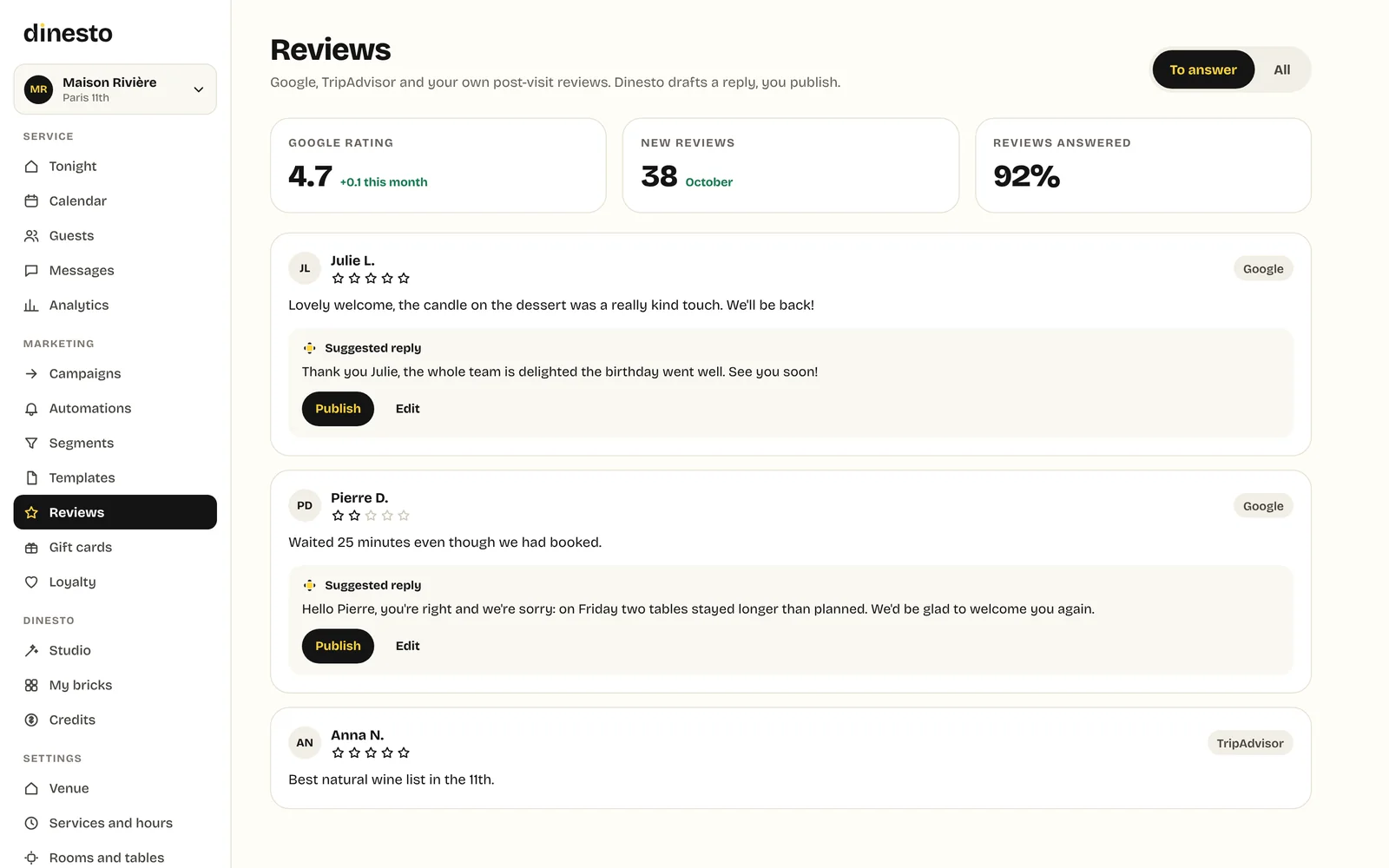
Your Google and TripAdvisor reviews in one place.
Dinesto asks the guest for a review the day after their visit and gathers published reviews. You reply from Dinesto.
- Automatic review request after the visit, included.
- AI-suggested reply, optional: 1 credit per review, published only after you read it.
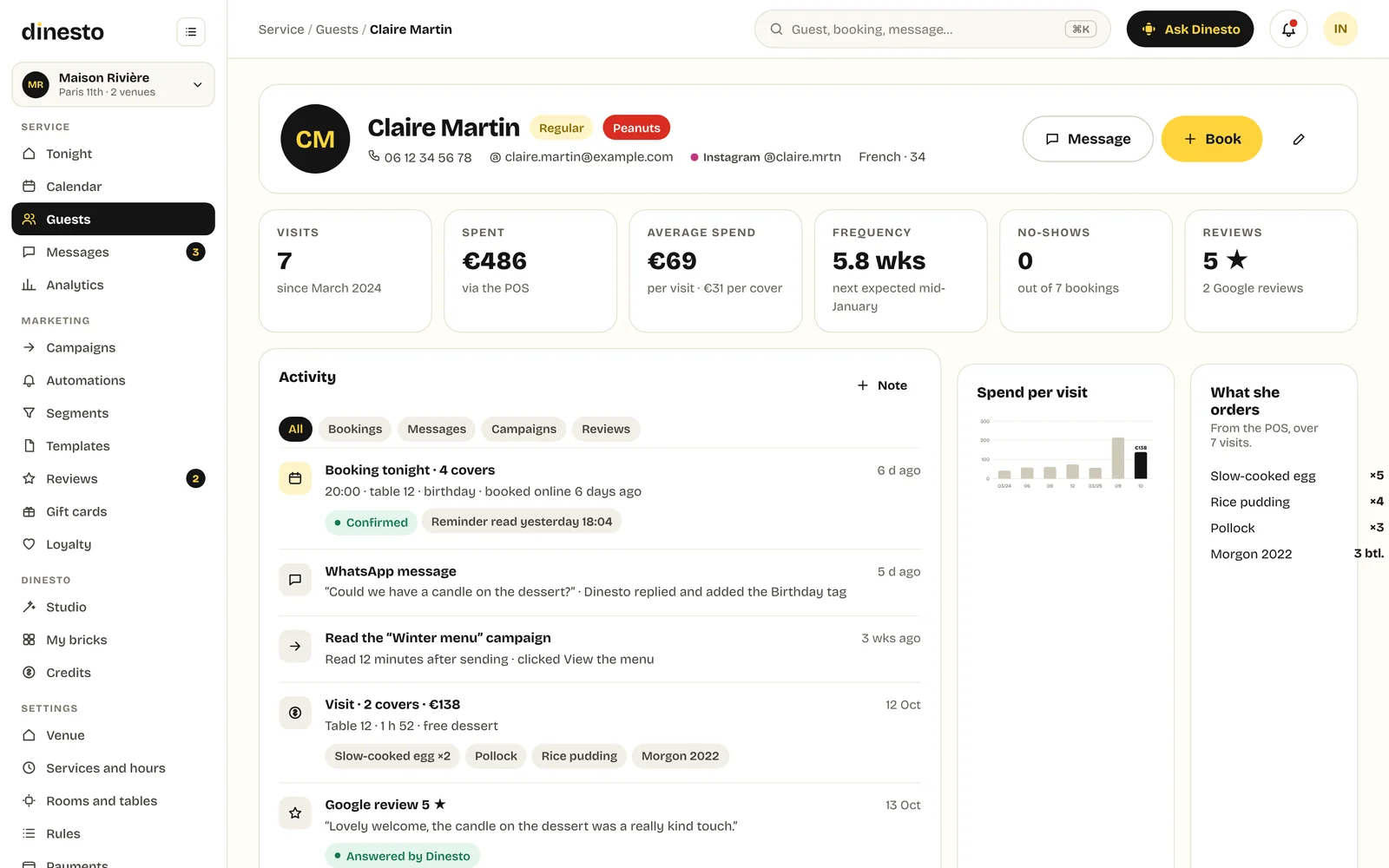
A guest list that fills itself.
Visits, spend, favourite dishes and reviews left are added with every booking. You segment your guests for a campaign or a gift voucher.
- Full export at any time: the list belongs to you.
- Marketing consent collected at booking.
Studio
Add the feature your restaurant is missing.
Describe it in one sentence. Studio builds it, tests it on a copy of your data and shows you the price. Changes start at 2 credits.
Integrations
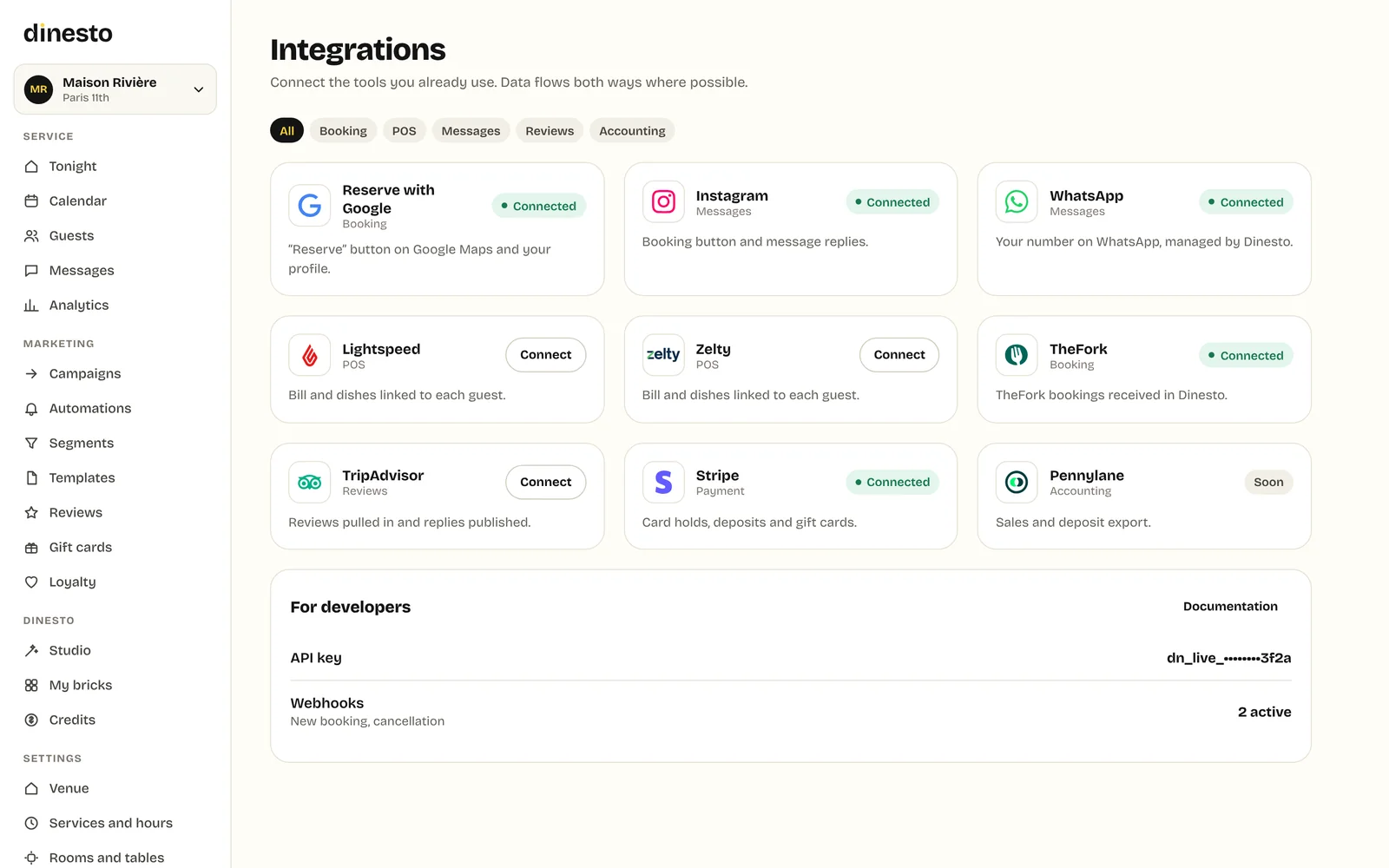
Connect the tools you already use.
Most are free; some, such as WhatsApp or data analysis, are paid. Data flows both ways when the tool allows it.
 Reserve with Google Booking
 Instagram Booking
 WhatsApp Messages
 TheFork Booking
 Lightspeed POS
 Zelty POS
 Stripe Payments
 TripAdvisor Reviews
 Pennylane Coming soon
Import your data
Switch software on the day you choose.
- Export your fileGuests and upcoming bookings, from your current software or a spreadsheet.
- Drop it into DinestoDinesto recognises columns, allergies, tags and notes. Your guests receive no message.
- Change your booking linkOn your website and Google listing, when you're ready.
Open your bookings tonight.
The full software is free. You pay for AI only if you switch it on.